Who can do this:
HR Manager
Administrator
If an employee's Leave or Sickness entitlement changes, you will need to assign them a new leave profile.
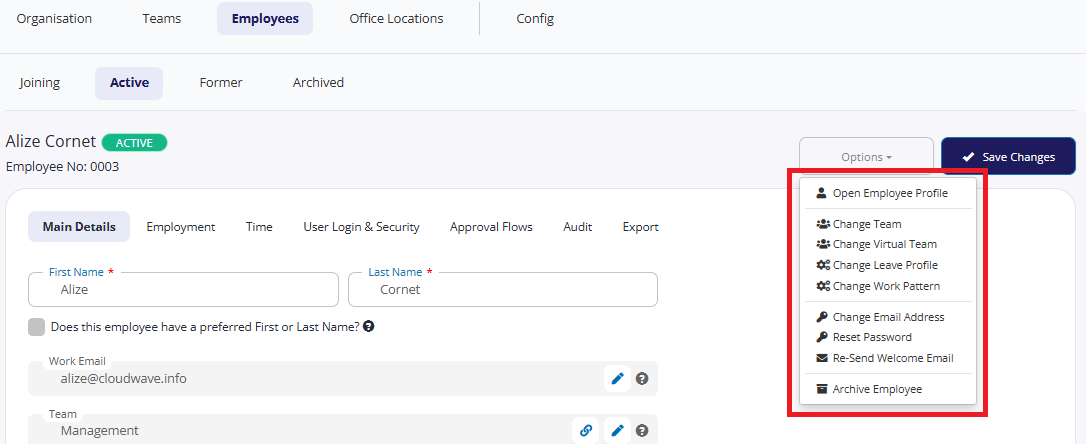
Go to Organisation > Employees and select the employee.
From here, you can either click the pencil icon next to leave profile, or click Options and select Change leave profile.
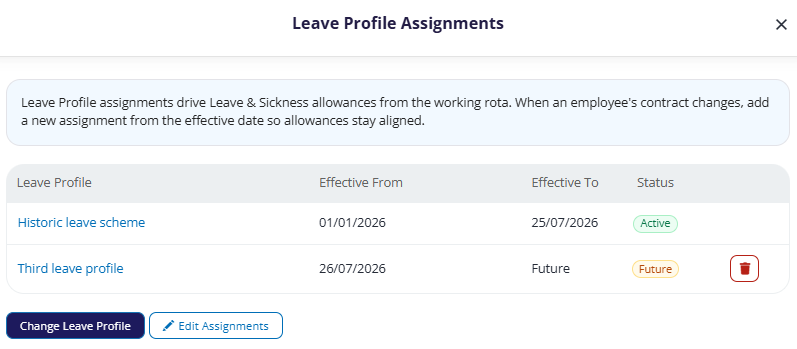
From the Leave Profile Assignments screen, you can:
Click Change Leave Profile and select a different scheme, and the date on which it will become effective, then Commit changes.
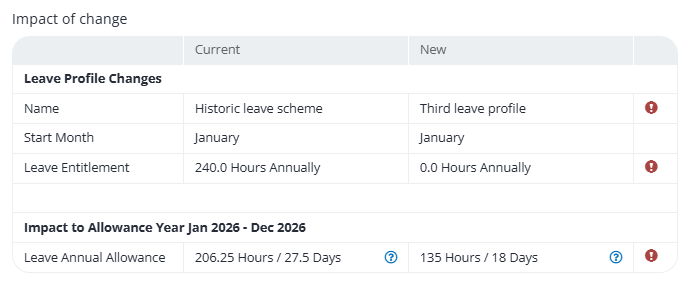
When you change the profile, you will be shown an impact of the changes.
Click
 to view a full breakdown of the leave against each work pattern.
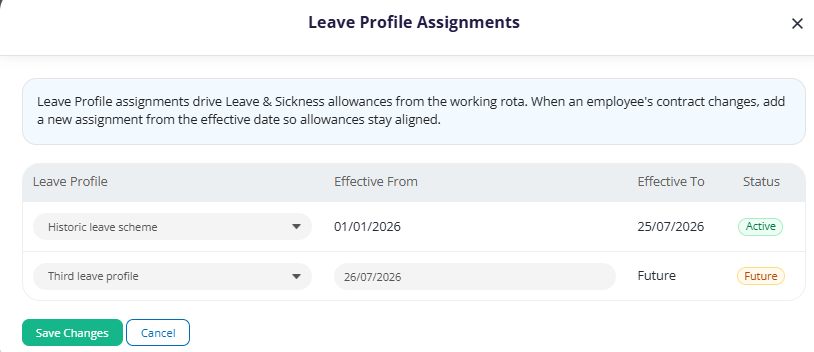
Click Edit Assignments to view / change any historical leave profile information.
Alternatively, you can navigate to the work profile that you would like to move them to and add them from there.
Go to Leave > Admin & Config > Leave Profiles.
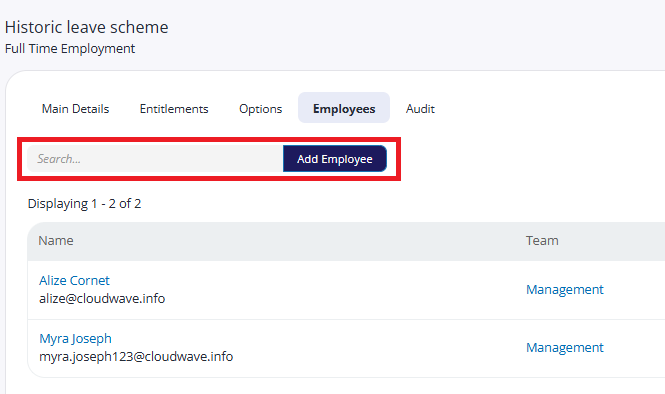
Select the work profile you would like to add them to and then go to Employees.
Type their name in the search box and add their name.
Any new allowances will be calculated automatically