Who can do this:
HR Manager
Administrator
Introduction
Unlimited Leave or PTO (Paid Time Off) is a benefit some companies to grant employees an unlimited amount of leave allowance.
This feature works by switching off leave allowance from a leave profile, which will remove all mention of allowances for employees. They will no longer have a leave allowance from which to request and instead have an unlimited amount of requests they could submit.
To enable this, go to Leave > Admin & Config > Leave Profiles.
Create a new leave profile or select an existing one.
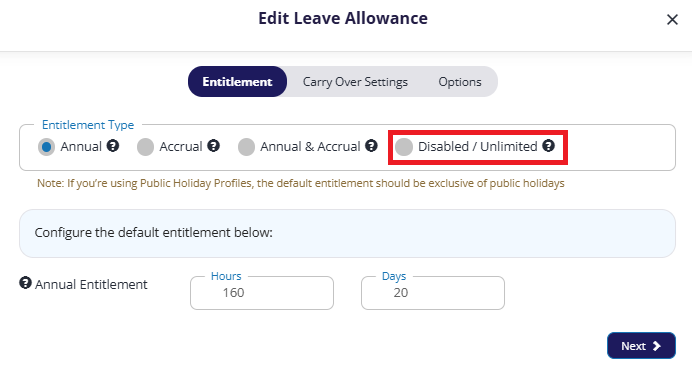
Click the Entitlements tab, then edit the leave type.
Select the Disabled / Unlimited option, then click Next twice to save.
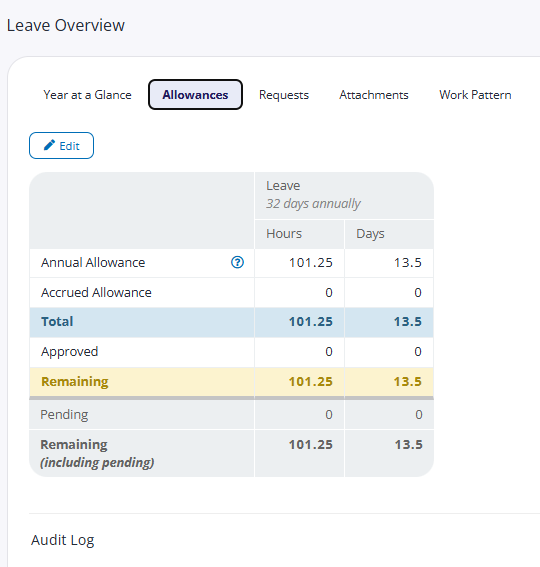
While all mentions of allowance amounts will be removed from users' profiles, the Allowances tab of the Leave section will still show. This is to preserve any historic or future audit trails.
If you wish for an employee to have an allowance associated you can do so by changing the details of the leave profile, or by moving the employee to a leave profile which has an allowance.