Who can do this:
HR Manager
Administrator
Important!
Work profiles have been renamed as leave profiles. The working rota functionality previously configured here has moved to the new work patterns feature; everything relating to leave, sickness, and entitlements remains unchanged and stays in leave profiles. See Guide: Work patterns for the new feature, or Guide: Leave profiles for what's changed.
Introduction
Allowances for employees are usually created automatically based on their leave profile with adjustments made based on the date if their leave profile was assigned part way through a Leave Year, Length of Service, Leave Carry Over or TOIL.
In certain circumstances, for example where a user changes their leave profile mid-year it can be necessary to manually change a specific employee's allowance. One-off changes can be made by going to Leave > Allowances.
Go to Leave, then select the user you want to edit using the employee picker:
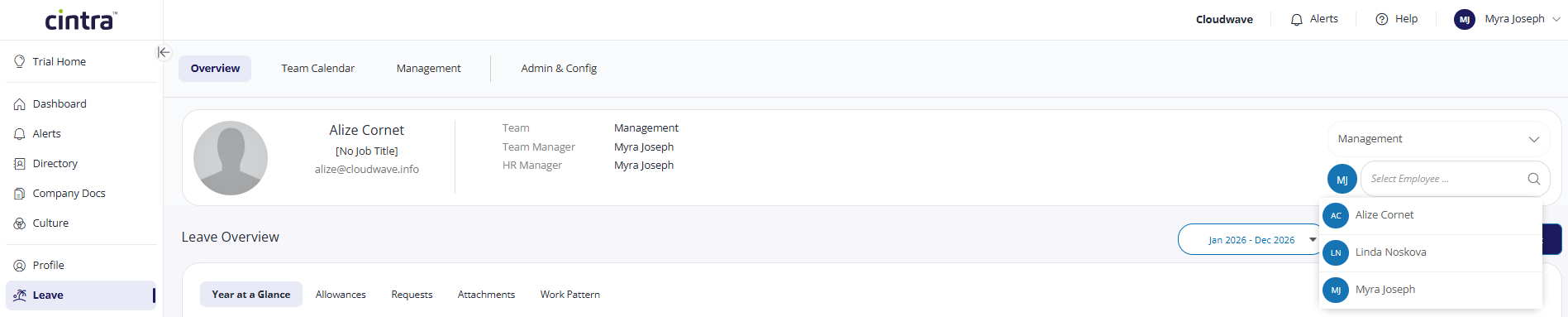
Select the Allowances tab, then click the Edit button.
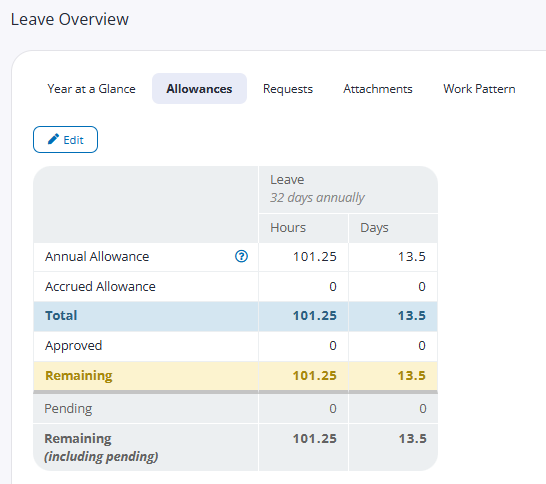
The table will open up and allow you to edit some of the fields. The following fields are editable:
TOIL (Manual): TOIL can be requested through the request process, or a user with edit permissions will be able to manually adjust a user's TOIL
Carried Over: you can set up carry over to automatically occur on the turn of the Leave year, or alternatively manually adjust it here
Manual Adjust: manual adjust can be a positive or negative value
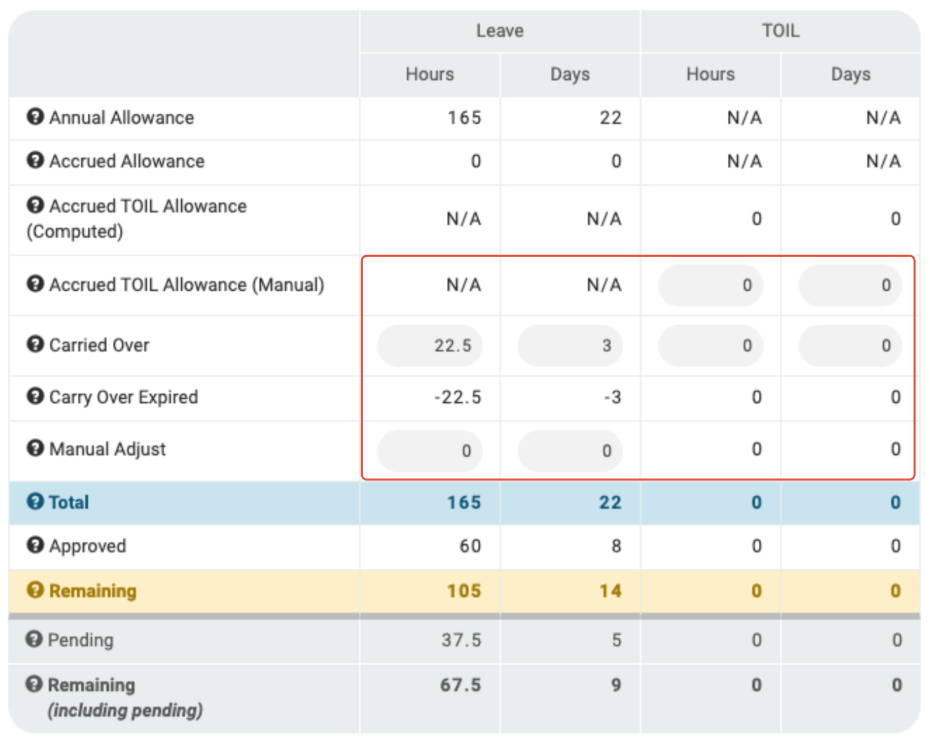
Once you have made the relevant adjustments, click Save Changes.
Within the leave profile, it's possible to setup an expiry date for carry over. The carry over expiry will show on the allowances table - if the carry over amount has expired, this will show in italics.
