Who can do this:
HR Manager
What is the Bulk Adjust Allowances tool?
You can use the Bulk Adjust Allowances tool to update multiple employees' allowances in one go.
The tool will produce a CSV export of employees' current allowance which can then be updated and re-uploaded into the system.
This tool gives HR Managers the ability to update the total allowance for employees, whether updating the Leave, Sickness, Custom 1 and Custom 2 allowances.
The CSV can consist of all employees on the system, all employees in a specified division (if applicable), or all employees in a specified team in order to bulk adjust their allowances.
Using the Bulk Adjust Allowances tool
Go to Leave > Admin & Config > Bulk Adjust Allowances.
Select the team or All Teams and choose whether to export the allowances in Hours or Days and whether you'd like to update the allowances as a Manual Adjust or whether you're adding carry over.
The carry over adjust option is useful if the automatic Carry Over was not set, but employees are still entitled to it. For more information about carry over, see Create and edit leave profiles.
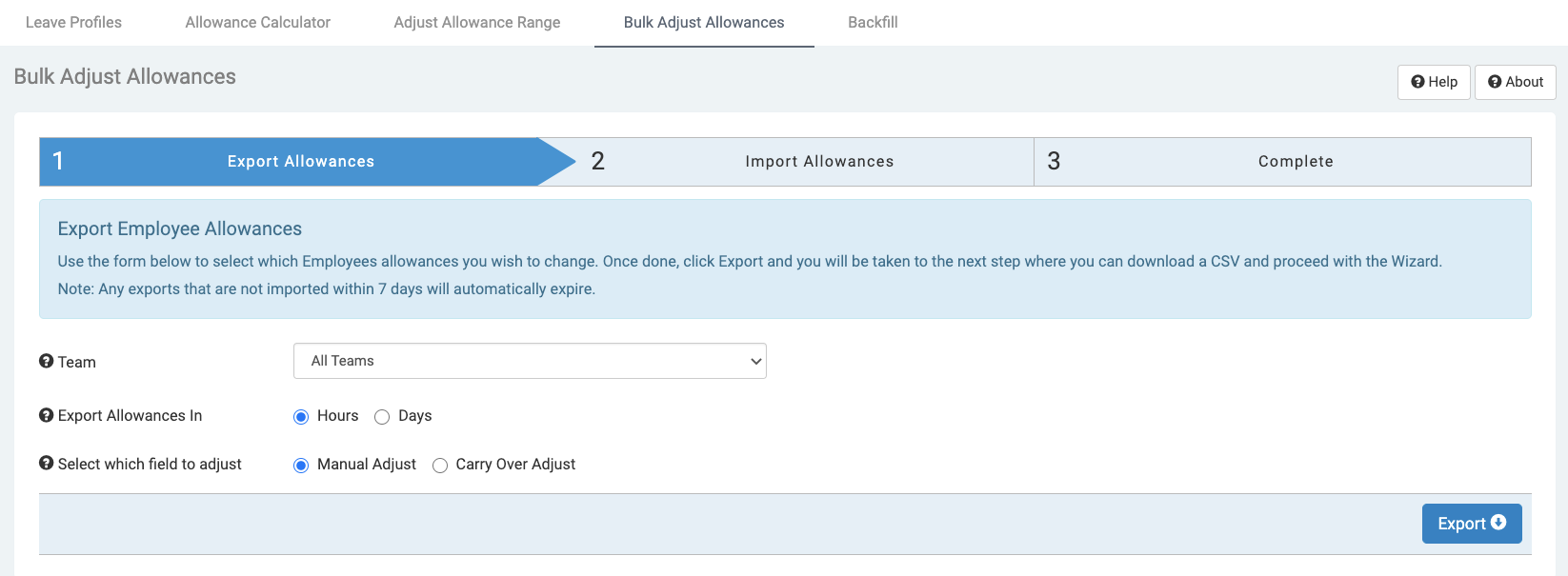
Click Export.
The CSV consists of the employee name, employee email address, the employee's current allowances and empty fields for updated allowances to be input.
Note: This CSV will expire in 7 days and will expire if there is an allowance change after being downloaded.
Open up the downloaded CSV and edit the 'New Allowance' fields to your chosen updated allowance.
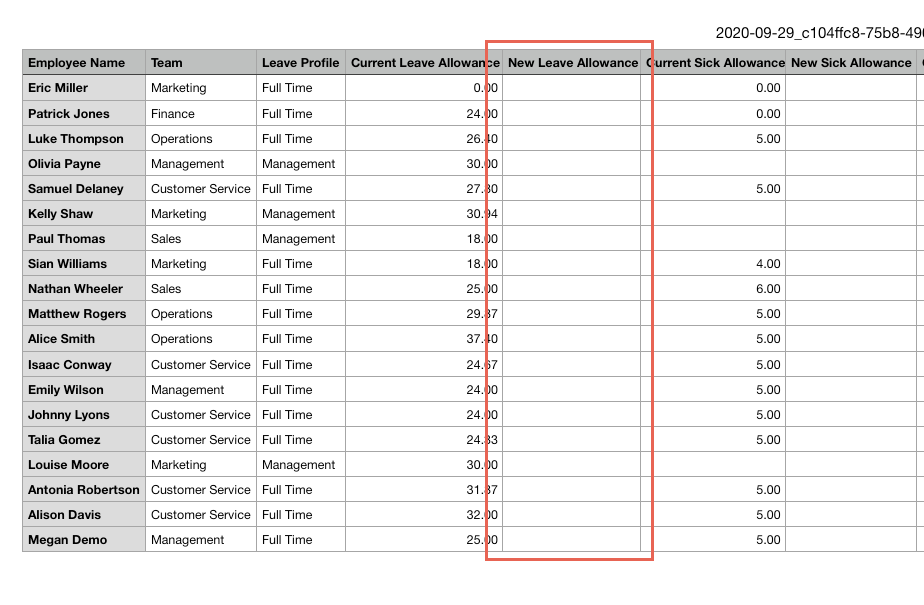
Note: Negative numbers cannot be added to the CSV and all blank columns will be skipped.
Save the file as CSV and re-upload it into the system.
Click Browse to select the updated CSV for import, input an audit comment, then click Import.
A confirmation message will be displayed when the adjustment is successful.
The employee allowance will now be updated and the audit will be shown in the user profile.