To view more information about an employee’s pay:
Open the relevant payroll. By default, the current period will be shown but you can select a different one.
In the list of employees, click the ellipsis icon, then View pay details.
.png)
Payment is split into the following sections:
.png)
Payments: A list of payments which contribute to the employee's gross pay is shown. Hover over the
.png) icon to display more information about the employee's salary.
icon to display more information about the employee's salary.Deductions: These generally include tax, NI & pension contributions, and student loan repayments.
Corrections: Including rectifying mistakes from previous pay periods.
Net Total: Payment totals minus deduction totals plus/minus any corrections.
You can use the arrows to view the employee's pay details for other periods and press X to close the window when finished.
.png)
Expenses reimbursements
If your organisation uses Expenses, then expense reimbursements can be processed through the employee’s payroll and will appear in the employee’s pay details.
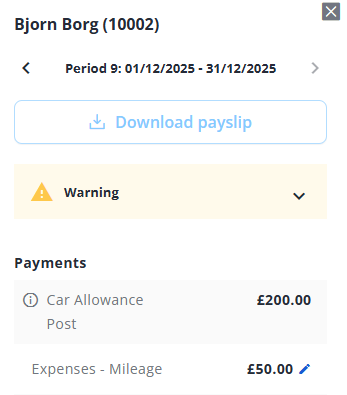
If you have permission, you can also edit the payment by clicking its pencil icon. For more information, see Edit or delete a one-off payment or deduction.