This article is aimed at customers who have previously used Cintra People Payroll (formerly Cintra Cloud) or Cintra iQ, and have recently moved to the new integrated Payroll and HR solution.
Important!
The articles in this help explain how to set up and use your integrated Cintra People solution.
These articles do NOT explain how to migrate your existing employee and other payroll data into HR, which should only be done by a Cintra professional. Speak to your Cintra account manager for more information.
What's new for Payroll and HR staff?
The first noticeable difference will be the addition of a new HR tab when you log into the system.
.png)
However, the biggest change you’ll notice as you move to the integrated solution is where you manage employee information.
HR is now the master system for employee records. You create new employees in HR first, then assign them to a payroll. Personal details, job information, salary & allowances, and working patterns are managed in HR. Pay-specific details (pensions, benefits, deductions) are still managed in Payroll.
Your new workflow at a glance
The main overlap between HR and Payroll lies in employee management. The steps below provide an overview of how employee data is managed:
HR creates the employee record with personal details, job information, working patterns, salary & allowances.
Employee information syncs to Payroll automatically. No duplicate data entry needed.
Payroll adds pay-specific details like benefits, costings, and HMRC starter checklist information.
Changes in HR update Payroll automatically to keep records consistent.
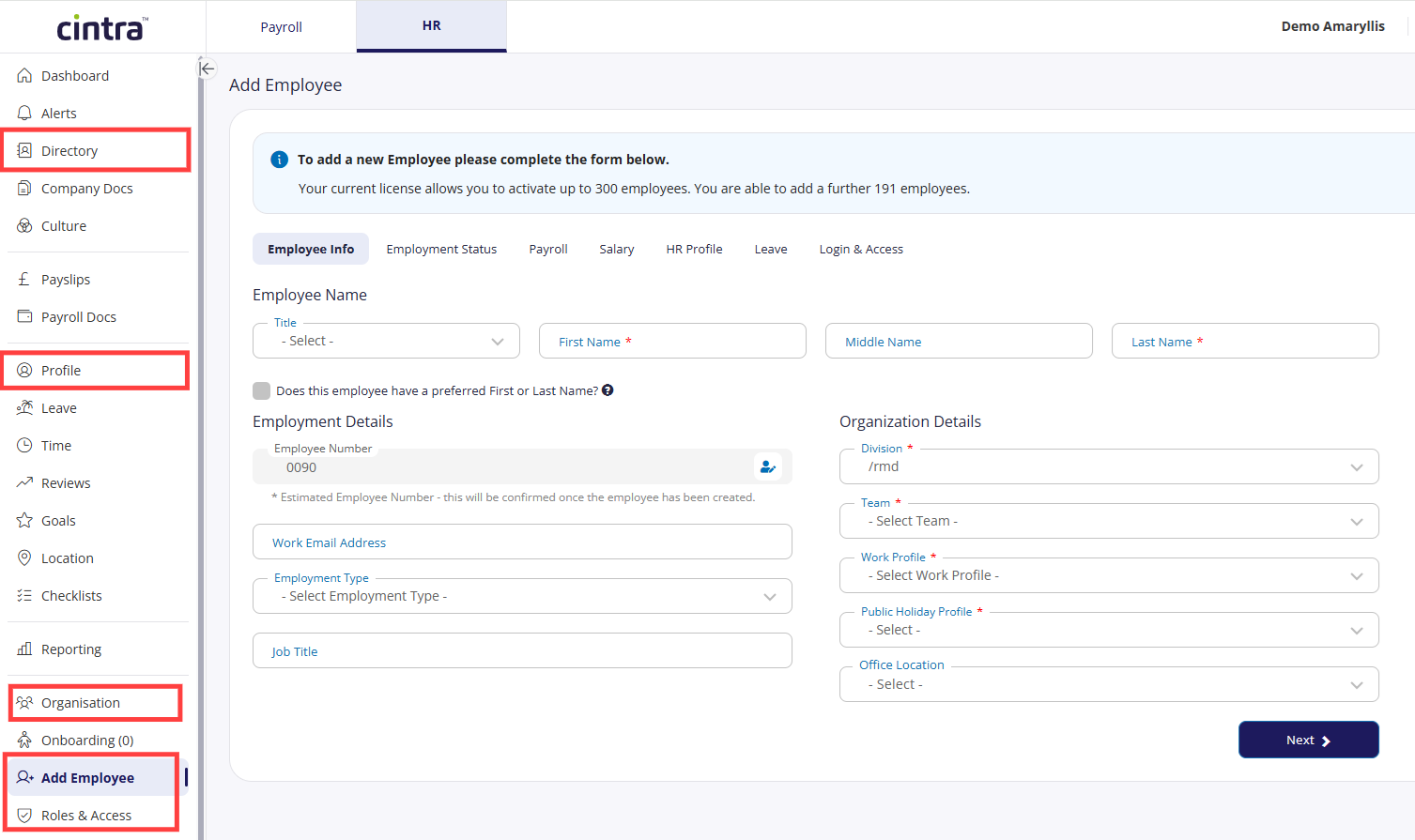
Add Employees in the side menu explains will guide you through the process of creating and managing new employees. You can also access and update employee records from the Profile, Organisation, and Employee Directory areas.
You can upgrade employees to users under Roles & Access.
Where should I make changes to employee data?
As a general rule:
Use HR for: Personal details, job changes, working patterns, salaries, organisational structure.
Use Payroll for: Pensions, taxable benefits, deductions, processing pay.
If you're unsure where to make a change, start in HR as it is the master system for employee information.
What’s new for employees?
Employees may have previously used Employee Hub or Self-Service to view their pay documents and book leave. The new integrated Cintra People solution still lets users perform these tasks alongside some useful new functionality. For more information, see Getting started as an employee.
What stays the same?
All the payroll and reporting functionality that you previously used in Cintra People Payroll will still be available, with the added advantage of being able to report on HR data structures such as departments and teams.
In addition:
All previous logins will work as normal.
You won’t need to make any changes to 2FA or passkeys.
You can still contact support as normal.
Quick start guide - your first tasks
Explore the HR tab: Familiarise yourself with the new interface and employee records.
Review your organisational structure: Check that teams and locations are set up correctly.
Test the workflow: Try adding a test employee in HR and assigning them to a payroll.
Review employee records: Check that existing employee data has migrated correctly.
Help!
If you’re not sure about anything, speak to your account manager, or visit our help and support page.